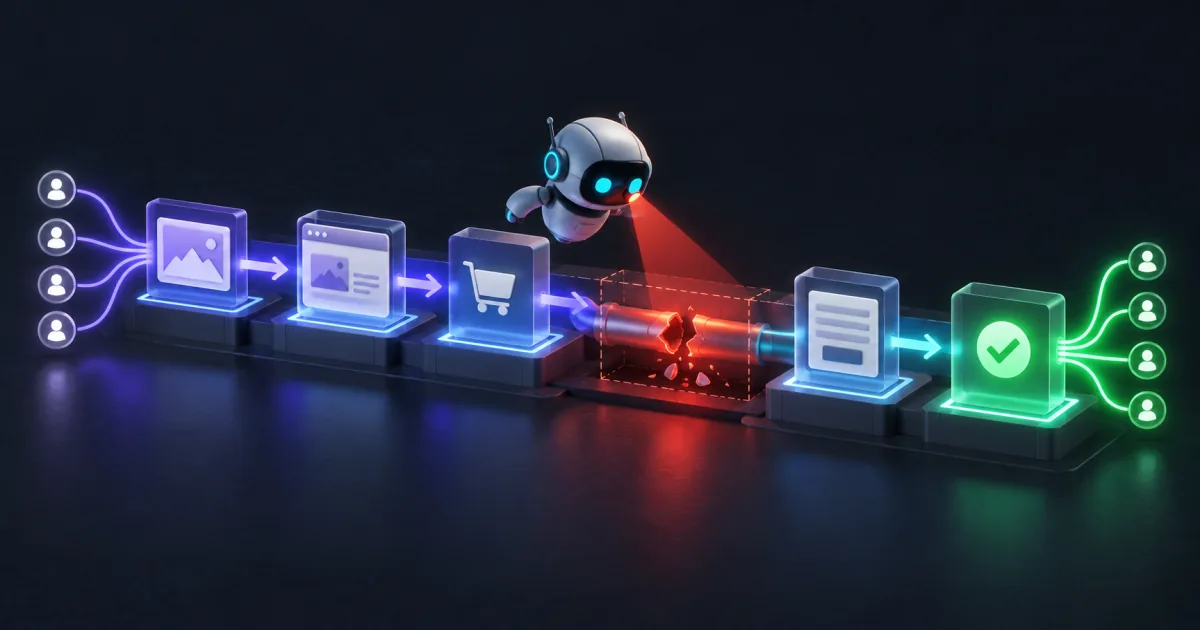
An AI agent is only as good as the data underneath it. The highest-value agent for a paid account is not the one that writes headlines. It is the one that watches your conversion tracking and tells you the moment it breaks, because a broken conversion feed wastes budget silently for days before anyone opens a report and notices. Here is how to build that agent, and the traps that make a naive version cry wolf until you mute it.
Quick answer
A monitoring agent for Google Ads is a scheduled workflow that reads your account and your outcome data, checks a handful of failure signals, and pings you on Telegram when one fires. The build is mostly deterministic. The one place a model earns its keep is the judgment call: is this a real drop, or just the attribution window being quiet? Get that judgment right and the agent is trustworthy. Get it wrong and you will turn the alerts off within a week.
What a monitoring agent actually watches
A campaign-writing agent is a demo. A watchdog is a system. The signals worth watching are the ones that fail quietly:
- Conversions dropping to zero. A tag breaks, a form endpoint changes, a consent banner update blocks the pixel, and conversions stop landing while spend keeps running.
- Offline uploads silently failing. The click-to-outcome loop breaks at the upload step, so Google stops learning which clicks became customers.
- A conversion action slipping into observational. It still shows in reports but no longer feeds bidding, so the account quietly optimizes on nothing.
- Call imports double-counting. A built-in call import and your own upload both fire, and the account inflates.
- Cost per conversion outside its normal band for that day of week, which usually means one of the above already happened.
The build
The shape is a scheduled workflow, not a chat bot. On self-hosted n8n:
The deterministic part reads the numbers and compares them to a baseline. The model call is small and specific: given the metric, the attribution window, and the day of week, decide whether this reading is a genuine failure or an expected lull. That single judgment step is the difference between an agent you trust and one you silence.
Here is the core of the check as a Code node, before the model ever sees it:
// n8n Code node: flag only readings that clear the noise floor
const nowConv = $json.conversions_last_24h;
const baseline = $json.dow_baseline;          // same weekday, trailing 8 weeks
const spend = $json.spend_last_24h;

const drop = baseline > 0 ? 1 - nowConv / baseline : 0;

// Spend still running but conversions collapsed is the loud signal.
const suspicious = spend > 0 && drop >= 0.7;

return [{
  json: {
    suspicious,
    drop: Math.round(drop * 100),
    spend,
    note: suspicious ? "conversions collapsed while spend continues" : "within range",
  },
}];Only the suspicious readings go to the model for the real-or-window judgment. Everything else is logged and ignored, which keeps both the token cost and the false alarms down.
The traps that make naive monitoring useless
This is where the real expertise lives, and it is why most homegrown alerts get muted:
- The attribution window. Web conversions are credited back to the click time, so the last few hours always look empty even when nothing is wrong. An agent that does not model the window will alert every single evening. Baseline by day of week and hour, not against a flat number.
- Observational actions do not show in the main column. If you only read the primary conversions column, a healthy account can look broken. Read the action status too.
- Double counting hides a break. A call-import and a manual upload both firing can mask a real drop in web conversions, because the total still looks fine. Watch the channels separately, not just the sum.
- Reporting lag in the API. The API itself finalizes recent numbers over time, so the freshest hour is always provisional. Treat the last few hours as soft, not hard.
Miss these and the agent is worse than nothing, because a muted alert is an alert you trusted once and stopped reading.
The failure the agent cannot see: its own
There is one failure a monitoring agent is uniquely bad at catching, and it is its own. If the agent runs on a cloud scheduler, do not assume the schedule is honest. On one build set to run dozens of times a day, a full day of logs showed only about a third of the runs actually firing, with a gap of more than five hours overnight. Every run that did fire succeeded, so nothing looked broken, and the whole time the dashboard and every answer it produced claimed it refreshed twice an hour.
That is the worst kind of failure: not a crash, but a gap between what the system promises and what it does, that nobody was checking. The fix is to move the clock to somewhere cron is honest and keep a single daily run in the original scheduler as a floor. Then a dead external trigger costs you a day of freshness, not silent, indefinite staleness. And the agent should report its own last-run time in every alert and export, so a stalled watchdog is visible instead of assumed alive.
Giving it access without giving it your data
A watchdog needs numbers from wherever your outcomes live, and for a healthcare account that is a server holding patient records. Do not hand the scheduler a key to that server. If the job were ever hijacked, that key is a shell on the machine with the patient data. Reverse the direction instead: the server pushes aggregates out to a tiny receiver, and the agent reads from the receiver. Two tokens, and the one that lives in the agent is read-only and touches no patient data. Even a full compromise of the agent's secrets cannot put a false number into a report or reach a single record.
Make the read-only property structural, not a line in the prompt. The agent's set of tools should contain nothing that can write: no bid change, no budget edit, no delete. A prompt can be talked around with enough persistence, a function that does not exist cannot. And if your organization forbids downloading service-account keys, treat that as a hint, not an obstacle: identity federation hands the job a short-lived token and leaves no key file anywhere. One trap on the way in, federation issues a broad token by default that the analytics APIs reject for insufficient scope, so ask for exactly the read scopes you use and no more.
Making it reliable, and honest
Two things separate an agent you can leave running from one you babysit.
First, it must refuse to make things worse. A dropped connection returns a short answer that looks like a quiet, successful day, and if the agent overwrites its history with that, it silently erases what it knew. Guard against it: refuse to replace stored data when the new response is materially shorter than the last, unless a human forces it.
// refuse a suspiciously short refresh; a dropped connection looks like "quiet"
if (previous && newRows < previousRows - TOLERANCE && !forced) {
  refuse(`had ${previousRows} rows, got ${newRows}, keeping the old copy`);
}Three rules keep network errors from turning into false calm. Put a deadline on every request, or a half-open socket will hang a run until it burns the whole job budget, and a hang you have turned into an error is one the pipeline already knows how to survive. Retry only transport failures, never response codes, because retrying a permission error just turns an access problem into a quiet zero. And an optional source that fails must not sink the run: keep the last copy and mark it stale, never zero it, because a zero reads as "collapsed" when the truth is "unknown".
Second, the agent must not mislead in the act of reporting. Freshness is per source, not one averaged date that lies about the laggiest feed, so ship each source's own timestamp and lag with a short reason (the ad platform being "one day behind" is an unclosed day, not a collection delay). And the rules for reading a number travel with the number: a machine-readable note on every alert and export saying which comparisons are invalid, which figure has its own window, and where a zero means "not measured", attached to the data, not buried in documentation nobody opens. A number that gets misread does not get better by arriving sooner, it just gets misread faster.
Why an agent instead of a static alert
A static threshold cannot tell a real drop from a quiet window, so it either fires constantly or is set so loose it misses the actual break. The judgment in the middle, weighing the window, the day, and the spend together, is a genuinely ambiguous call, and that is precisely the kind of decision a language model handles well when you wrap it in a deterministic workflow that fetches the data and delivers the alert. The model decides one thing. The workflow does everything else. That split is what makes it reliable enough to leave running.
The honest limit
A watchdog tells you the tracking broke. It does not fix the pipeline underneath, and it is only as trustworthy as the data it reads. If your conversions were never tied to real outcomes in the first place, a monitoring agent will faithfully report that a number you should not trust has not changed. The agent sits on top of solid measurement. It does not replace it.
That measurement layer, tying every ad click to the outcome it actually produced, is the conversion tracking I build for practices running paid search. The monitoring agent is the natural thing to put on top once the data underneath is real.
Tags
Frequently asked questions
What is the most useful AI agent for a Google Ads account?
Not one that writes ads. One that watches your conversion tracking and tells you the moment it breaks. A broken conversion feed wastes budget silently for days, so an agent that catches it early pays for itself faster than any creative tool.
Why not just use a rules-based alert instead of an agent?
Because the hard part is judgment, not thresholds. A naive rule like 'no conversions in 24 hours, alert' fires constantly, since web conversions lag behind clicks by the attribution window. The value is a step that can tell a real drop from a normal quiet window, which is exactly where a model earns its place inside an otherwise deterministic workflow.
Does the monitoring agent need access to my ad account?
It needs read access to the Google Ads API and to whatever holds your outcomes (your CRM, EHR, or the offline-conversion upload log). It never needs to change bids or budgets. A watchdog reads and reports, it does not touch the account.
Can this run self-hosted?
Yes, and for a healthcare or privacy-sensitive account that matters. The whole thing runs on self-hosted n8n plus one model call for the judgment step, so no third party sits between your account data and the alert.
What does it alert on that a person would miss?
Conversions dropping to zero, offline uploads silently failing, a conversion action slipping into observational, a call-import double-count, and cost per conversion moving outside its normal band for the day of week. These are the quiet failures nobody notices until a monthly report looks wrong.
How do you know the monitoring agent itself is still running?
You make it report its own last-run time in every alert and export, and you do not trust a cloud scheduler to fire on time. Cloud cron often runs best-effort, so a job set to run many times a day can quietly fire far less, while every run that does happen succeeds and nothing looks wrong. Move the clock to somewhere cron is honest, keep one daily run as a floor, and surface the last-run time so a stalled watchdog is visible instead of assumed alive.

Written by
Marketing Analytics & Conversion Tracking Engineer, US and Canada, run remotely
- Media buyer on Google Ads and Meta Ads from October 2023 to September 2025, nearly $700K in spend.
- Set up patient conversion tracking for a New York medical practice (anonymized).
- Upwork Top Rated Plus, 5.0 from 20 reviews.