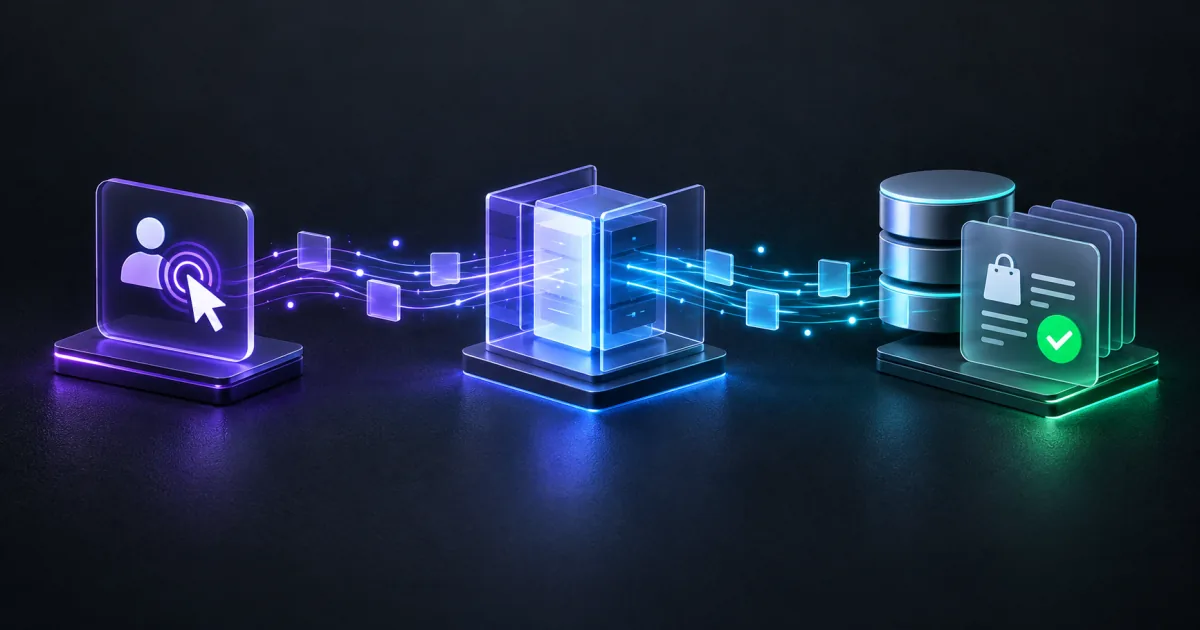
To upload offline conversions through the Google Ads API in 2026, send them to the Data Manager API: one POST to datamanager.googleapis.com/v1/events:ingest, authenticated by an OAuth token. The old route, ConversionUploadService.UploadClickConversions, is now allowlist-gated and rejects a new integration with no recent upload history outright.
I moved a live account onto this path: a multi-location US medical practice whose real conversion happens days after the click, inside the practice management system. Below are the setup, the two traps that waste the most time, and how to keep it HIPAA-conscious.
Quick answer
For a new integration, use the Data Manager API. The classic service works only for an integration whose developer token sent offline conversion uploads between 17 December 2025 and 15 June 2026.
| ConversionUploadService (classic) | Data Manager API (events:ingest) | |
|---|---|---|
| Status for new integrations | Allowlist-gated since 15 Jun 2026 | Open, sanctioned path |
| Rejects new integrations with | CUSTOMER_NOT_ALLOWLISTED_FOR_THIS_FEATURE | n/a |
| Developer token at runtime | Sunset 9 Sep 2026, header ignored | Not required |
| Auth | OAuth with adwords scope | OAuth with datamanager scope |
| Target of the upload | Conversion action (UPLOAD_CLICKS) | productDestinationId = that action's ID |
| "Success" response means | Accepted for processing | Accepted for processing |
"Success" does not mean "attributed" on either path.
Why is UploadClickConversions blocked in 2026?
Since 15 June 2026, a call to ConversionUploadService.UploadClickConversions fails with CUSTOMER_NOT_ALLOWLISTED_FOR_THIS_FEATURE whenever the developer token sent no offline conversion uploads between 17 December 2025 and 15 June 2026. Integrations that were already uploading keep working, so an inherited one may look fine. A brand-new one on the same RPC dies on the first request. Google retired developer tokens on 9 September 2026, but the restriction stands.
The classic method is still documented, and older posts point at it, but that does not make it open to your integration. There is no self-serve way to request the allowlist for a new build.
What is the Google Ads Data Manager API?
It is Google's consolidated ingestion endpoint for first-party and offline event data. You POST a batch of events to one URL and name where they land. For offline click conversions, that is a conversion action in a Google Ads account.
Two things make it easier to run than the old service:
- One OAuth token, no extra header. The ingest call needs only an access token with the
datamanagerscope and no login-customer-id header. - The destination is explicit in the body. Each batch names the account and conversion action it feeds, so one credential can route to several destinations.
You still need the classic Ads API for one job: reading the numbers back. That read needs the adwords scope, not the upload allowlist.
How do I upload one offline conversion?
One event looks like this; in production you batch many per request.
- Create (or find) the conversion action. In Google Ads, create an action of type UPLOAD_CLICKS, labeled "Website - Import from clicks" in the UI. Its ID is your
productDestinationId. - Get an OAuth access token with the
datamanagerscope. Use a service account added to the Google Ads account, or a refresh token from an authorized user. If ingest fails on auth, the token usually lacks that scope; mint a new one. - Capture the gclid at click time. It lands on your page as a URL parameter. Store it against the lead the moment the form or booking is created.
- Send the value when the real conversion happens. When the appointment is booked, kept, or paid, look up the stored gclid, attach the value, and send the event.
POSTtoevents:ingest:
POST https://datamanager.googleapis.com/v1/events:ingest
Authorization: Bearer ya29.<oauth-access-token>
Content-Type: application/json{
"destinations": [
{
"operatingAccount": {
"accountType": "GOOGLE_ADS",
"accountId": "1234567890"
},
"productDestinationId": "987654321"
}
],
"events": [
{
"transactionId": "bk_8f3c1a94_2026-08-01",
"eventTimestamp": "2026-08-01T14:32:07Z",
"eventSource": "WEB",
"currency": "USD",
"conversionValue": 180.00,
"adIdentifiers": {
"gclid": "Cj0KCQjw...redacted"
}
}
]
}A few fields carry more weight than they look:
| Field | Why it matters |
|---|---|
productDestinationId | The UPLOAD_CLICKS action ID. The wrong one and the event lands where you are not looking. |
adIdentifiers.gclid | The only link back to the ad click. No gclid, no attribution. |
eventTimestamp | RFC3339 in UTC (the trailing Z). It must fall inside the action's click-through conversion window or it is ignored. |
transactionId | Your idempotency key. The same event sent twice with the same ID is deduped, not double-counted. |
conversionValue + currency | Feeds value-based bidding. A stable per-type estimate still beats a flat "1 conversion". |
Why does a 200 not mean the conversion was attributed?
An HTTP 200 from events:ingest means "accepted for processing." It does not mean "attributed." The response has no per-event flag saying a gclid matched a click. Google does the matching asynchronously.
So a pipeline can return 200 for weeks while nothing registers: stale gclids, timestamps outside the window, or the wrong action. Every log line is green and nothing lands.
The only real confirmation is to read the action's metrics back through the Ads API after 24 to 72 hours and check that all_conversions is climbing. A GAQL query does it:
SELECT
  conversion_action.name,
  conversion_action.type,
  conversion_action.status,
  metrics.all_conversions,
  metrics.all_conversions_value
FROM conversion_action
WHERE conversion_action.type = 'UPLOAD_CLICKS'
AND segments.date DURING LAST_7_DAYSIf all_conversions moves after your uploads, the loop is closed. If it stays flat while ingest keeps returning 200, you have a matching problem, not a transport problem. Build this check into the upload job. That verification loop is most of what solid Google Ads conversion tracking is: proving the upload landed.
The "Connect a data source" banner is a trap, not a to-do
Open the UPLOAD_CLICKS action and Google Ads shows a red "Connect a data source" banner and a "pending review" status.
Do not click it. For an action fed through the Data Manager API, that banner is cosmetic and is expected to persist. The API itself is the data source. I have watched conversions register, with all_conversions climbing on the read-back query, while the banner sat there the whole time.
Clicking "Connect" attaches a second, parallel source to the same action, and you can double-count every conversion. If someone already clicked it, detach that second source. Trust the all_conversions number; the banner is decoration.
How do I keep offline conversions HIPAA-conscious?
For a healthcare advertiser this is not optional, and click-based upload makes it clean. The only fields that leave your system are an anonymous gclid, a numeric value, and a timestamp. No name, no email, no diagnosis, no record.
For the medical practice I moved onto this path, where a phone number had to travel for call matching, it was hashed first, never sent raw. The pipeline stores no patient data. The gclid is stored against a lead, and the value comes from a generic service-type price, not from a bill. The value is an estimate, because value-based bidding needs a stable relative signal, not accounting-grade revenue.
For a Canadian clinic, HIPAA does not apply. The privacy duty comes from PIPEDA, or from a province's substantially similar law. That means a private-sector law in Alberta, British Columbia or Quebec. In Ontario, New Brunswick, Nova Scotia or Newfoundland and Labrador, it means a personal health information law.
The design rule for a clinic: price a conversion from a lookup table, not from anything patient-specific, and let only the click id, value, and timestamp cross the boundary. A HIPAA-aware offline conversion tracking setup treats that boundary as the deliverable.
Least privilege, and whose account the token lives in
-
Read and write scopes. The ad API has one scope for reading and writing, so a read token can technically change campaigns. Narrow it at the account-user level: create a separate read-only user on the ad account and mint the read token under them. A service account works too: Google Ads lets you add its email as a user with its own access level.
-
Token ownership. Reissue the uploading token under the client's own account, not yours, mid-project rather than at the end. If it is minted under your login, the day you are removed the nightly upload stops with no error, and nobody connects the two events. The client owns everything that must keep running; you are a guest.
-
Dry run. Before you send real rows, run the batch through a validate-only pass if your client library has one. It catches most request-shape mistakes before an event reaches a live account.
I am Alexander Cheberko. I build this end to end, US and Canada, run remotely. That covers gclid capture on the site, offline value computed at the real conversion moment, the ingest pipeline, and the read-back check.
If your conversion value lives in a CRM or an EHR days after the click, your bidding is flying blind. That is the gap I close. Send me how your leads turn into revenue and I will tell you whether it is a two-week build or something smaller before you commit a dollar.
Sources checked on 2026-10-27.
Tags
Frequently asked questions
Can I still use ConversionUploadService to upload offline conversions in 2026?
Only if your developer token sent offline conversion uploads between 17 December 2025 and 15 June 2026. Since 15 June 2026, an integration without those uploads gets CUSTOMER_NOT_ALLOWLISTED_FOR_THIS_FEATURE, so any new integration has to use the Google Ads Data Manager API instead.
Do I need a Google Ads developer token to call the Data Manager API?
No. The events:ingest endpoint authenticates with an OAuth token that carries the datamanager scope. The classic Ads API, which you still use later to read back and verify the conversions, stopped needing one too: Google sunset developer tokens on 9 September 2026.
Does an HTTP 200 from events:ingest mean my conversion was attributed?
No. A 200 means Google accepted the event for processing, nothing more. There is no per-event attribution flag in the response, so you confirm attribution by reading the conversion action's all_conversions metric 24 to 72 hours later.
Why does my conversion action still say 'pending review' with a 'Connect a data source' banner?
For an action you feed through the Data Manager API, that banner is cosmetic and it stays. The API itself is the data source. Do not click Connect, because it attaches a second parallel source and can double-count.
What conversion action type do I upload offline clicks to?
An action of type UPLOAD_CLICKS, shown in the UI as 'Website - Import from clicks'. Its ID becomes the productDestinationId in the ingest request body.
Can I upload offline conversions without sending patient or customer data to Google?
Yes. For click conversions, only an anonymous gclid, a value, and a timestamp have to leave your system. No name, email, or record needs to be sent, which is how a HIPAA-conscious build stays clean.

Written by
Marketing Analytics & Conversion Tracking Engineer, US and Canada, run remotely
- Media buyer on Google Ads and Meta Ads from October 2023 to September 2025, nearly $700K in spend.
- Set up patient conversion tracking for a New York medical practice (anonymized).
- Upwork Top Rated Plus, 5.0 from 20 reviews.